The Ultimate Roblox Profile Flex
Having a cool display name is a great way to show off your style on Roblox, but having no name at all is the ultimate profile flex. A blank, invisible name makes your avatar stand out in games like Brookhaven, Bloxburg, and BedWars, leaving other players wondering how you did it.
While Roblox has patched many of the older name-hiding methods, there are still two working tricks in May 2026. In this guide, we will walk you through the step-by-step methods using special Unicode characters and temporary VPN locations to get a clean, invisible name in seconds.
How Invisible Names Work
Roblox requires all display names to be between 3 and 20 characters and blocks standard spaces. To achieve this, we use one of two methods:
- The Unicode Character Method: We use specific, invisible Unicode characters (such as Hangul fillers or special empty symbols) that Roblox's naming system reads as valid letters but renders as completely transparent blocks.
- The Country-Specific Reset: Roblox allows blank or single-character display names in specific European regions due to local character set regulations. By temporarily shifting your virtual location, we can unlock these settings.
Method 1: The Invisible Hangul Filler (Easiest)
This is the fastest method because it doesn't require any VPNs or downloads. It works directly in your Roblox account settings on PC, mobile, or console.
Step 1: Copy the Invisible Character
Below, you will see a pair of brackets. Double-click or press and hold inside the brackets to highlight and copy the blank space between them. Make sure you only copy the empty space inside the brackets, not the brackets themselves:
[ㅤ]
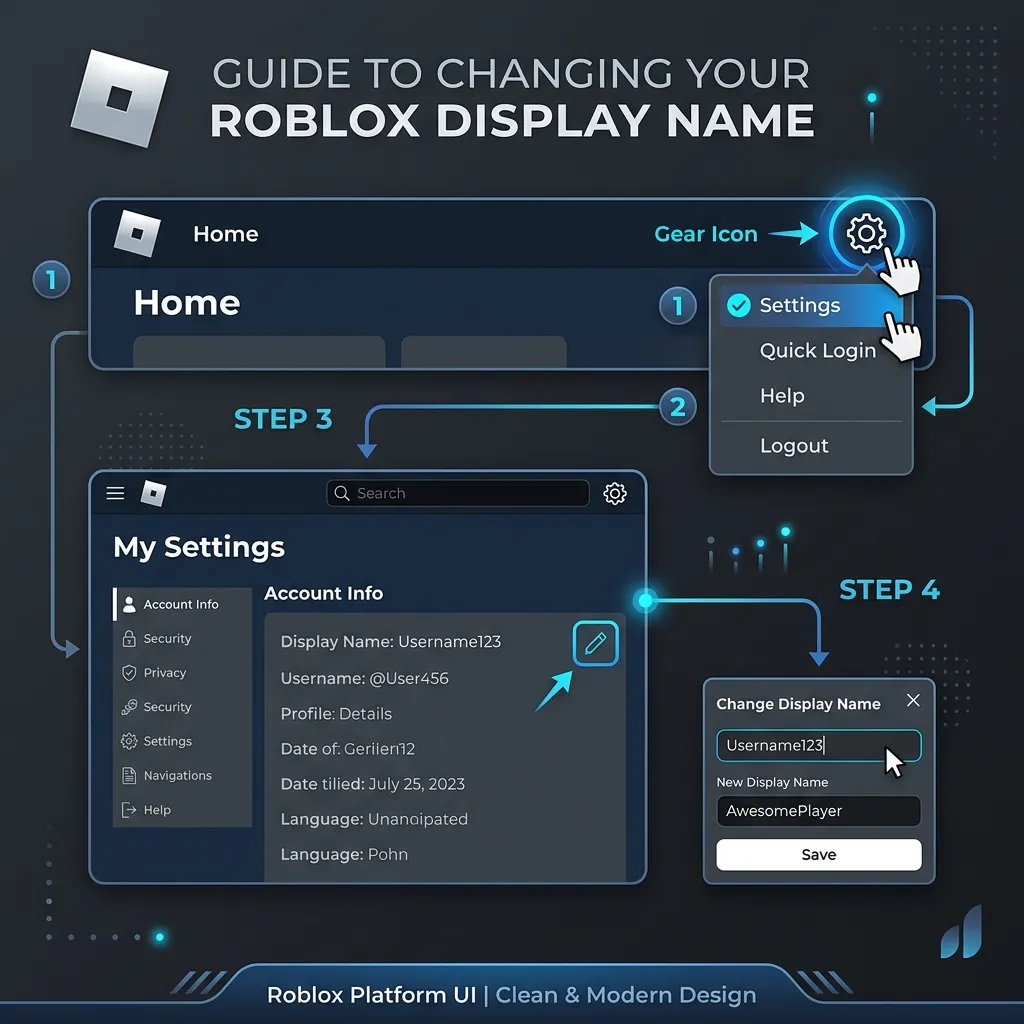
Step 2: Go to Account Info
Open Roblox, click the gear icon in the top right corner to open your Settings, and navigate to the Account Info tab.
Step 3: Edit Your Display Name
Click the edit pencil icon next to your Display Name. Erase your current name, paste the copied invisible character three times (to satisfy the 3-character minimum requirement), and click Save.
Your display name will instantly turn blank in your settings and across almost every game you join!
Method 2: The Virtual Location Method (100% Reliable)
If Roblox displays an "Unsupported characters" error with Method 1, you can use the location-shift trick. This method relies on changing your display settings to countries like Germany or Norway, where Roblox allows minimal and empty character spacing.
| Step | Action | What it does |
|---|---|---|
| 1 | Download a free VPN (like Windscribe or ProtonVPN). | Secures a virtual IP. |
| 2 | Connect to a server in Germany or Norway. | Unlocks European character allowances. |
| 3 | Open Roblox Settings and change your Display Name to a single dot (.). | Overpasses the normal 3-letter limit. |
| 4 | Disconnect the VPN and refresh your game. | The name renders as a tiny, invisible dot in-game! |
Important Rules to Remember
Before you change your name, keep these basic Roblox Display Name rules in mind:
- The 7-Day Cooldown: Roblox only allows you to change your display name once every 7 days. If you make a mistake or want to go back to your old name, you will need to wait exactly one week.
- Username Remains Visible: Your display name is what shows up above your avatar in games. However, your main username (the one with the "@" symbol) will still be visible in your profile search and system logs.
- Game Compatibility: A few older Roblox games do not support custom display names and will always show your original username.
Want to combine your new blank name with a premium Roblox profile? Use our Bio Generator to generate a clean, aesthetic bio, or check out our Flex Card Generator to make a beautiful, downloadable profile card!
Frequently Asked Questions
Can I get banned for using a blank name?
No. Using Unicode fillers or regional settings does not violate the Roblox Terms of Service. It is a creative use of default font parameters, and you are completely safe from moderation.
What if I get the "Unsupported Characters" error?
This means your browser or device has cached old filtering data. Clear your browser cache, restart your Roblox app, or use Method 2 with a VPN connected to Germany or Norway to apply the name.
How do I change my display name back to normal?
Go back to your Roblox Settings → Account Info. Click the pencil icon next to your Display Name, delete the invisible characters, type in your normal name, and save. Remember, you must wait 7 days if you recently changed it.